Bromcom
The Management Information System that Cabot Primary uses is called Bromcom. Parents can access this portal through the MyChildAtSchool (MCAS) app.
The app is a quick and easy way for families to:
- Add money to a child’s dinner balance
- Sign up and pay for clubs & trips
- Check the academic calendar (term dates)
- Update photo and walk-home consents
- Buy uniform

How to register
You can either register online or download the app.
To register online, click the link www.mychildatschool.com to open the Parent Login screen.
To download the app, search ‘MyChildAtSchool’ on the Google Play Store or Apple App Store.
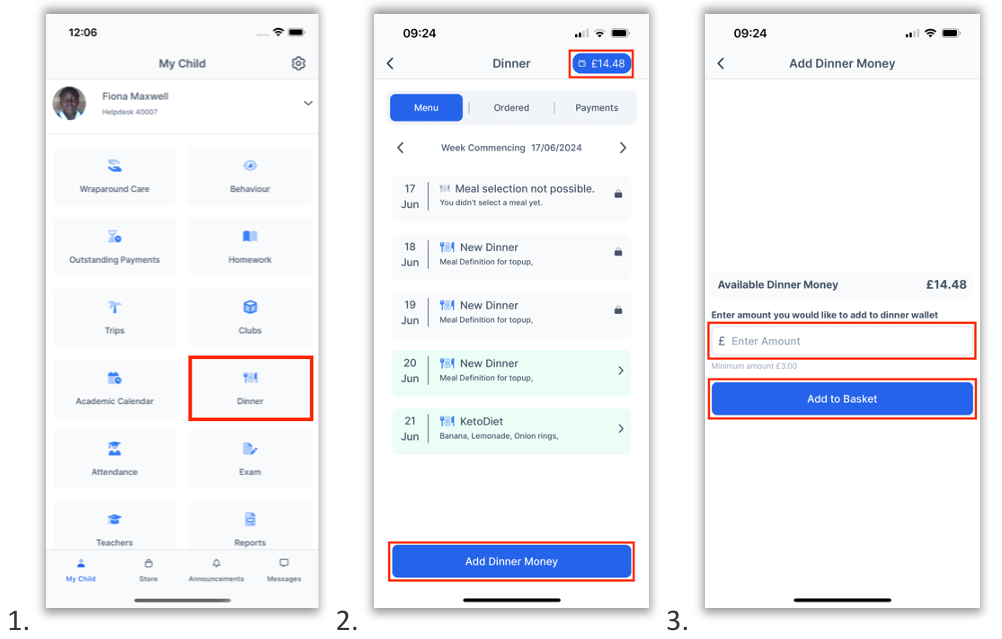
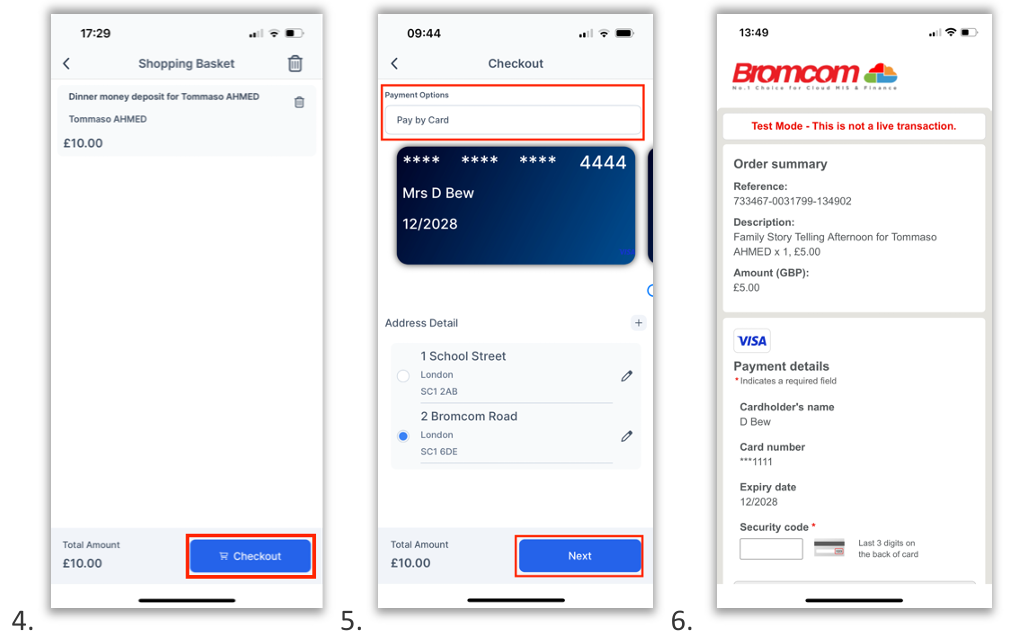
How to pay for school dinners
- On the My Child dashboard, click the Dinner button
- The blue wallet at the top of the screen shows the dinner money balance. Click on the Add Dinner Money button
- Enter the amount you would like to add to the dinner balance and click Add to Basket
- Click Checkout
- Select a Payment Option from the dropdown and click Next
- Complete payment on the Bromcom Order Summary
How to pay for uniform
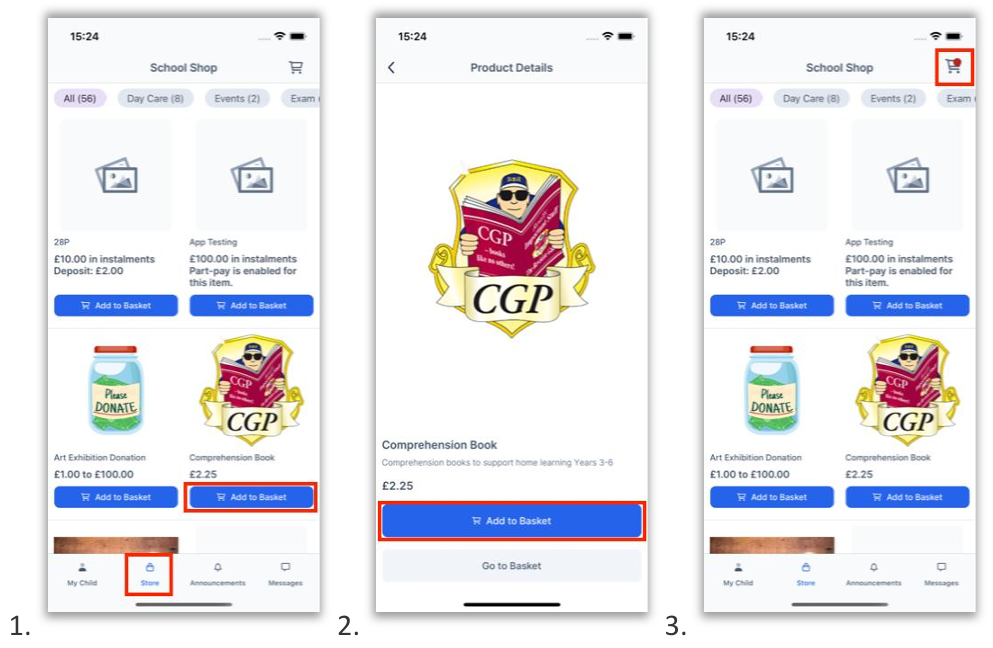
- Go to Store on the bottom menu.
- Click Add to Basket on the item you want to purchase
- Click on the Basket icon
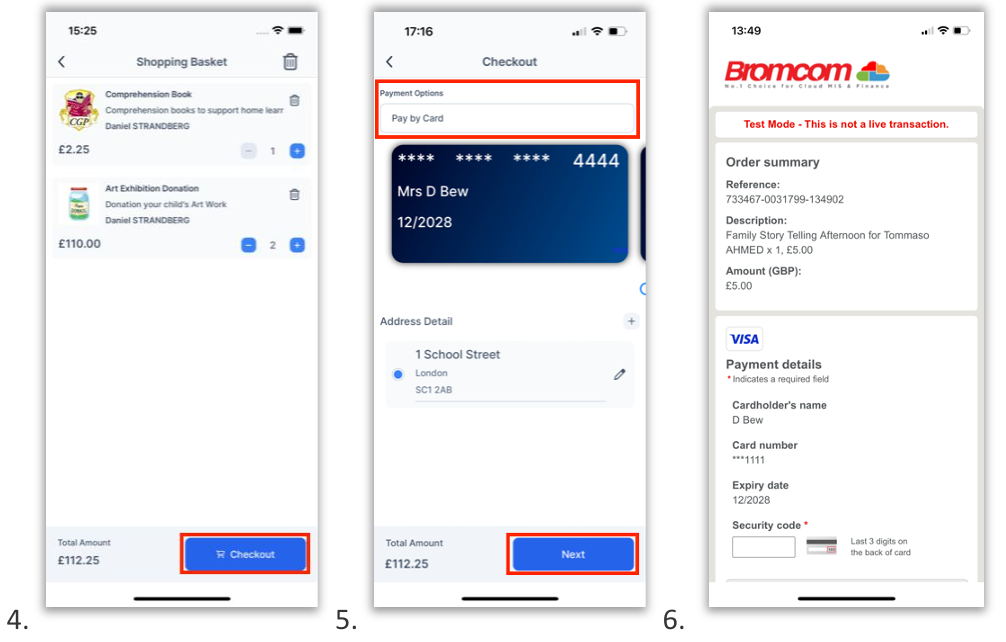
- Click Checkout
- Select a Payment Option from the dropdown and click Next
- Complete payment on the Bromcom Order Summary
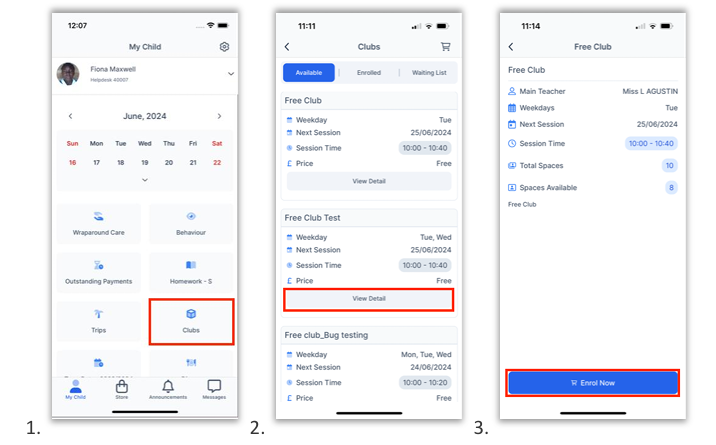
How to enrol in FREE Clubs and Trips
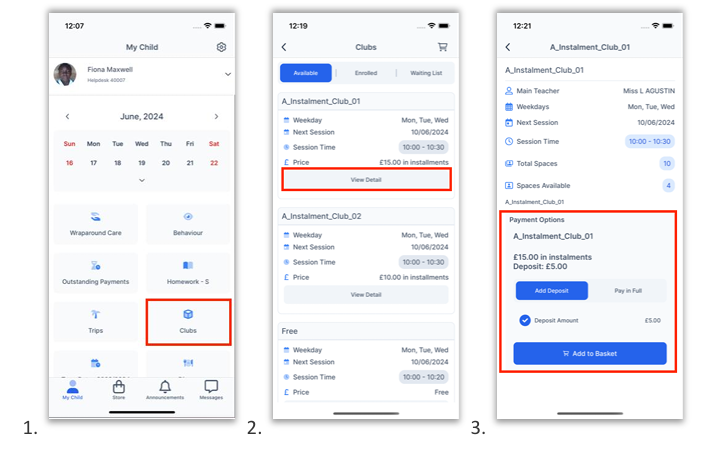
- On the My Child dashboard, click the Club or Trip button
- Click View Detail for the group you want to enrol in
- If spaces are available, you can click Enrol Now
How to enrol for other Clubs and Trips
- On the My Child dashboard, click the Club or Trip button
- Click View Detail for the group you want to enrol in
- Click Add to Basket if it is a paid club
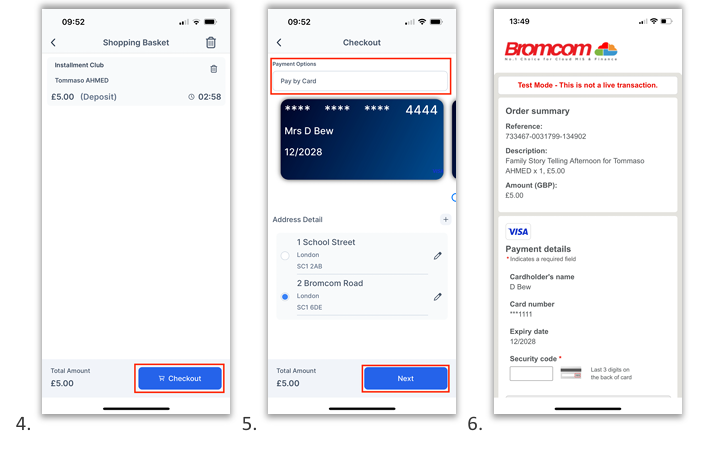
- Click Checkout
- Select a Payment Option from the dropdown and click Next
- Complete payment on the Bromcom Order Summary